
Best AI Marketing Tools by category
- SEO & Search Marketing Tools (Semrush, Ahrefs, SE Ranking, Surfer SEO, ClearScope)
- Social Media Management Tools (Sprout Social, Hootsuite, Buffer, SocialBee)
- Email Marketing & Marketing Automation (ActiveCampaign, HubSpot Marketing Hub, Klaviyo, Mailchimp, Mailerline)
- Marketing Analytics & Reporting Tools (Google Analytics 4, Google Analytics 360, AgencyAnalytics, Hotjar, Mixpanel)
- Content Marketing Platforms (HubSpot Marketing Hub, CoSchedule, Ion, Contently, DivvyHQ, StoryChief, NewsCred
- Paid Advertising Tools (Google Ads Editor, Google Analytics, Google Ads Scripts, Facebook Ads Manager, AdEspresso, Qwaya)
- Marketing Automation (Zapier, Make, n8n, ClickUp, Trello, Notion)
- Creative & Design Tools (Canva, Adobe Creative Suite, Figma, Jasper AI, Copy.ai)
- Conversion Rate Optimization Tools (Optimizely, VWO, Google Optimize, Unbounce, Leadpages, Instapage)
- Customer Data & Personalization (Segment, Salesforce CDP, Adobe Experience Platform, Dynamic Yield, Optimizely, Evergage)
The Growth Marketer’s AI Toolkit | Best AI Marketing Tools 2025
Marketing is no longer just about creativity and gut instinct—it’s a data-driven, AI-powered battlefield. Growth marketers today face an endless list of demands: generate more leads, scale campaigns faster, cut acquisition costs, and personalize experiences across multiple channels. Doing all that manually? Impossible. That’s where the AI Marketing Toolkit comes in.
This isn’t another fluffy list of “cool AI apps.” This is a battle-tested stack of tools that can help you:
- Automate repetitive marketing workflows.
- Generate high-converting copy, ads, and content in minutes.
- Design visuals, videos, and brand assets without a creative team.
- Analyze performance data and surface insights instantly.
- Personalize campaigns at scale with AI-powered CRMs and chatbots.
By the end of this guide, you won’t just know which tools are “best.” You’ll know which tools actually move the needle for growth—tested across startups, agencies, and solo marketers who live and die by ROI.
⚡ Promise: This article isn’t theory. It’s a practical playbook for building your AI marketing stack in 2025 so you can spend less time firefighting—and more time scaling.
Okay, let’s dive a bit deeper into each one.
SEO & Search Marketing Tools
Platform Leaders
Semrush – The All-in-One SEO & Marketing Intelligence Platform
Semrush is more than just a keyword tool—it’s a complete marketing intelligence suite. From keyword research and backlink audits to competitive analysis and AI-powered content optimization, Semrush gives growth marketers everything they need to outsmart competitors and dominate search results.
- Best Use Cases: keyword research, site audits, competitor benchmarking, content strategy.
- Why It Works: Semrush combines massive data with AI-driven insights, so you know not just what to write, but how to rank.
- Pros: industry-leading database, deep SEO + PPC tools, competitor tracking, content templates.
- Cons: pricing may feel high for solo creators; full power shines at team or agency level.
- Free vs Paid: free version with limited queries; paid plans unlock full SEO, content, and PPC toolset.
👉 If Ahrefs shows you the backlinks, Semrush shows you the battlefield—a must-have for marketers serious about winning in SEO and PPC.
Ahrefs – The SEO Powerhouse for Backlinks and Competitive Research
Ahrefs has built its reputation as the go-to tool for backlink intelligence and SEO strategy. With one of the largest link databases on the market, it gives growth marketers deep insights into who’s linking to your competitors, what keywords they rank for, and where your opportunities lie. Beyond backlinks, Ahrefs also delivers solid keyword research, content gap analysis, and site audits.
- Best Use Cases: backlink analysis, keyword research, content gap discovery, rank tracking.
- Why It Works: unmatched link index + accurate keyword data = practical insights you can act on.
- Pros: industry-leading backlink database, strong competitor analysis, easy-to-read SEO reports.
- Cons: less PPC/advertising data compared to Semrush; pricing not ideal for beginners.
- Free vs Paid: limited free tools (Backlink Checker, Webmaster Tools); paid plans unlock full SEO suite with deep data.
👉 If Semrush is the all-in-one marketing command center, then Ahrefs is the sniper rifle—laser-focused on backlinks and SEO intel that help you outrank the competition.
Specialized Tools
Surfer SEO – AI-Driven Content Optimization for Higher Rankings
Surfer SEO is built for marketers who want content that ranks. Instead of guessing, it analyzes the top-ranking pages for any keyword and gives you a data-backed blueprint: optimal word count, headings, keyword density, and semantic terms. With the new Surfer AI, you can go from keyword to ready-to-publish article in minutes—combining SEO science with AI writing speed.
ClearScope
Social Media Management Tools
Enterprise Solutions
Sprout Social – Smarter Social Media Management with AI
Sprout Social is more than a scheduling tool—it’s a complete social media management platform that helps brands plan, publish, and analyze across multiple channels. With its new AI-powered features, Sprout makes it easier to generate post ideas, optimize captions, and surface insights from engagement data, giving marketers the clarity they need to scale campaigns.
- Best Use Cases: social media scheduling, content calendar planning, analytics, customer engagement.
- Why It Works: Sprout combines workflow automation + AI recommendations, so you’re not just posting—you’re posting smarter.
- Pros: robust analytics, strong collaboration features, integrates with major platforms (FB, IG, LinkedIn, X).
- Cons: pricing can be high for small teams; advanced AI features mostly in higher tiers.
- Free vs Paid: free trial available; paid plans unlock full analytics, AI assistance, and team workflows.
👉 If Buffer is built for simplicity, then Sprout Social is built for strategy—giving growth marketers the AI insights to amplify their social presence at scale.
Hootsuite – AI-Assisted Social Media Command Center
Hootsuite has long been a household name in social media management, and with AI baked in, it now helps marketers go beyond scheduling. Its OwlyWriter AI generates engaging captions, repurposes content across platforms, and even suggests the best times to post for maximum reach. For growth marketers juggling multiple accounts, Hootsuite is a central hub to plan, execute, and measure social campaigns.
- Best Use Cases: multi-channel scheduling, AI caption generation, content repurposing, performance tracking.
- Why It Works: trusted platform + new AI features mean less manual work and more time optimizing what works.
- Pros: supports 20+ social platforms, strong analytics, AI-powered writing assistant.
- Cons: can feel heavy compared to lean tools like Buffer; premium AI features locked in higher tiers.
- Free vs Paid: free trial available; paid plans unlock unlimited scheduling, AI content tools, and team collaboration.
👉 If Sprout Social is the analytics-driven strategist, then Hootsuite is the command center—combining reach, AI assistance, and scale for serious social media marketers.
SMB-Friendly Options
Buffer – Simple, AI-Powered Social Media Scheduling
Buffer is the lightweight social media tool that makes scheduling and publishing easy for solo creators, startups, and small teams. With its AI Assistant, Buffer now helps generate captions, suggest hashtags, and repurpose posts across channels—removing the mental load of “what to post next.”
- Best Use Cases: simple content scheduling, AI-generated captions, managing a few key social accounts.
- Why It Works: minimal learning curve + affordable pricing = ideal for creators who don’t need enterprise complexity.
- Pros: clean interface, budget-friendly, AI suggestions built-in, great for small teams or solo marketers.
- Cons: lacks the deep analytics and enterprise workflows of Sprout Social or Hootsuite.
- Free vs Paid: free plan covers up to 3 channels; paid tiers unlock more channels, AI Assistant credits, and advanced features.
👉 If Hootsuite is the command center and Sprout Social is the strategist, then Buffer is the lean, AI-powered sidekick—helping you stay consistent on social without the complexity.
SocialBee – AI-Driven Social Content Repurposing & Scheduling
SocialBee is a social media management platform designed to help marketers and small businesses create, repurpose, and schedule content efficiently. With its AI-powered post generator, you can turn one piece of content into multiple social variations, add captions, and automatically schedule posts by category for consistent publishing.
- Best Use Cases: evergreen scheduling, content repurposing, AI-generated captions, multi-platform posting.
- Why It Works: SocialBee focuses on maximizing content lifespan—so one blog post, podcast, or video can fuel weeks of social media activity.
- Pros: strong evergreen scheduler, category-based posting, AI content assistant, affordable for SMBs.
- Cons: fewer enterprise analytics compared to Sprout or Hootsuite; UI can feel less polished.
- Free vs Paid: 14-day free trial; paid plans unlock AI posting credits, multiple workspaces, and advanced scheduling.
👉 If Buffer is the lightweight scheduler and Hootsuite is the enterprise hub, then SocialBee is the content multiplier—perfect for growth marketers who want to get maximum reach from every piece of content.
Email Marketing Tools
Advanced Automation
ActiveCampaign – AI-Powered Email & Customer Experience Automation
ActiveCampaign is a marketing automation and CRM platform that helps businesses deliver personalized email campaigns, automate customer journeys, and close more deals. With AI features built in, it can predict the best time to send emails, suggest content optimizations, and segment audiences with precision—turning every campaign into a data-driven growth engine.
- Best Use Cases: email marketing, lead nurturing, behavior-based automation, customer retention.
- Why It Works: ActiveCampaign combines CRM + automation + AI predictions, so marketers can engage leads with the right message at the right moment.
- Pros: powerful automation builder, strong deliverability, AI-driven insights, good value for SMBs and mid-market.
- Cons: advanced features may overwhelm beginners; fewer native integrations than HubSpot.
- Free vs Paid: no permanent free plan, but free trial available; paid tiers scale from Lite to Enterprise with increasing automation and AI features.
👉 If Mailchimp is the entry-level newsletter tool, then ActiveCampaign is the AI-driven growth engine—helping marketers turn leads into long-term customers with smarter automation.
HubSpot Marketing Hub – The AI-Powered Growth Engine for Modern Marketers
HubSpot Marketing Hub is more than an email tool—it’s a complete inbound marketing platform powered by AI. From lead capture and email automation to social scheduling, content optimization, and reporting, HubSpot centralizes everything in one place. With its new AI Content Assistant and ChatSpot, HubSpot helps marketers generate blogs, craft emails, and analyze campaigns faster than ever.
- Best Use Cases: inbound marketing, lead nurturing, email campaigns, SEO content, social media management.
- Why It Works: HubSpot combines CRM + automation + AI-driven insights, ensuring marketing and sales teams work from the same playbook.
- Pros: all-in-one growth platform, strong analytics, AI copy assistant, deep integrations with major apps.
- Cons: pricing scales quickly as contacts and features grow; setup can feel heavy for small teams.
- Free vs Paid: free plan with basic CRM, forms, and email; paid tiers (Starter → Enterprise) unlock advanced AI tools, automation, and scaling features.
👉 If ActiveCampaign is the lean automation specialist, then HubSpot Marketing Hub is the AI growth engine—perfect for teams that want a centralized, scalable platform to power every stage of the customer journey.
Klaviyo – AI-Powered Email & SMS Marketing for eCommerce Growth
Klaviyo is the go-to marketing platform for eCommerce brands, combining email, SMS, and AI-driven automation to maximize customer lifetime value. With deep integrations into Shopify, WooCommerce, and BigCommerce, Klaviyo gives growth marketers the ability to trigger hyper-personalized campaigns based on real customer behavior—from abandoned carts to repeat purchases.
- Best Use Cases: abandoned cart recovery, product recommendations, post-purchase flows, seasonal promotions.
- Why It Works: Klaviyo turns customer data into campaigns, powered by AI predictions like churn risk, next order date, and expected lifetime value.
- Pros: eCommerce-first features, strong segmentation, AI predictive analytics, seamless Shopify integration.
- Cons: best for online stores (less suited for non-retail); pricing scales with list size.
- Free vs Paid: free plan up to 500 contacts; paid plans unlock advanced AI predictions, SMS marketing, and larger contact limits.
👉 If ActiveCampaign is the AI automation engine and HubSpot is the all-in-one growth hub, then Klaviyo is the eCommerce weapon of choice—built to help brands convert shoppers into loyal, high-value customers.
Budget & Accessibility
Mailchimp – AI Email Marketing Made Simple
Mailchimp remains one of the most popular email marketing platforms, and with its new AI-powered features, it has evolved beyond simple newsletters. Now, marketers can use Mailchimp’s AI to generate subject lines, predict send times, and recommend content—making campaigns smarter and more effective without extra manual work.
- Best Use Cases: newsletters, small business campaigns, audience segmentation, basic automation.
- Why It Works: Mailchimp blends ease of use + AI recommendations, helping small businesses run campaigns that feel data-driven without needing a full marketing team.
- Pros: beginner-friendly, massive template library, AI subject line generator, predictive insights.
- Cons: less robust automation compared to ActiveCampaign; scalability limited for complex funnels.
- Free vs Paid: free plan for up to 500 contacts; paid plans unlock advanced AI insights, automation journeys, and eCommerce integrations.
👉 If Klaviyo is built for eCommerce power users and HubSpot for scaling teams, then Mailchimp is the AI-friendly entry point—perfect for SMBs and creators who want to start strong with email marketing.
Beeper – All Your Messages, Supercharged with AI
Beeper is a universal inbox that connects over 15+ chat apps—WhatsApp, iMessage, Slack, Discord, LinkedIn, Telegram, and more—into a single interface. With AI built in, Beeper helps you summarize conversations, draft replies, and manage multiple channels at once, saving hours for growth marketers and customer-facing teams who juggle messages across platforms.
- Best Use Cases: managing customer messages, consolidating team comms, AI-assisted replies, social selling.
- Why It Works: Beeper eliminates context-switching between dozens of apps, while AI keeps you responsive and consistent.
- Pros: unified inbox, cross-platform sync, AI summaries & drafts, great for power users and marketers.
- Cons: setup may feel complex; still evolving integrations; advanced AI features in premium tier.
- Free vs Paid: free plan available with limited integrations; paid plans unlock unlimited chat apps, AI assistant features, and faster syncing.
👉 If Text App connects you to customers instantly, then Beeper is the control center—bringing all your conversations into one AI-powered hub.
Mailerlite – Lightweight Email Marketing with AI Superpowers
MailerLite is the lean, easy-to-use email marketing platform designed for creators, small businesses, and startups who want professional campaigns without heavy complexity. With AI email writing built in, MailerLite helps you craft subject lines, write newsletters, and even segment audiences in just a few clicks.
- Best Use Cases: newsletters, lead nurturing, automated welcome series, product updates.
- Why It Works: MailerLite focuses on simplicity + AI assistance, giving you powerful campaigns that are quick to launch, affordable, and scalable.
- Pros: beginner-friendly, clean UI, AI email generator, generous free plan.
- Cons: lacks the deep automation of ActiveCampaign or HubSpot; best for smaller lists.
- Free vs Paid: free plan supports up to 1,000 subscribers; paid plans unlock advanced automation, AI features, and higher list capacity.
👉 If Mailchimp is the mainstream starter and Klaviyo is the eCommerce powerhouse, then MailerLite is the minimalist AI email tool—perfect for creators and SMBs who want fast results without the bloat.
Marketing Analytics & Reporting Tools
Web Analytics Foundation
Google Analytics 4
Google Analytics 4 (GA4) is the next evolution of web and app analytics, built with AI and predictive insights at the core. Unlike Universal Analytics, GA4 tracks events across devices and platforms, helping marketers understand the full customer journey. Its AI-driven models surface trends, predict churn, and even forecast revenue—turning raw data into actionable growth strategies.
- Best Use Cases: tracking multi-channel campaigns, measuring conversions, audience segmentation, predictive insights.
- Why It Works: GA4 combines cross-platform event tracking + AI models, so growth marketers see not just what happened, but what’s likely to happen next.
- Pros: free and robust, predictive audiences, integrates deeply with Google Ads and BigQuery.
- Cons: learning curve is steep; limited out-of-the-box reporting compared to old GA.
- Free vs Paid: GA4 is free; GA360 (enterprise) unlocks advanced features, SLAs, and higher data limits.
👉 If Semrush and Ahrefs show you the battlefield, then GA4 is the command radar—giving you the real-time, AI-enhanced data you need to steer campaigns with confidence.
Specialized Analytics
AgencyAnalytics – AI-Powered Reporting for Agencies & Marketers
AgencyAnalytics is the all-in-one reporting and dashboard platform built for marketing teams and agencies that manage multiple clients. With AI features baked in, it helps you automate performance reports, surface insights across channels, and present results in a way that’s clear for both your team and your clients.
- Best Use Cases: multi-channel reporting (SEO, PPC, social, email), client dashboards, automated reports.
- Why It Works: AgencyAnalytics pulls in data from 60+ integrations (Google Analytics, Ads, HubSpot, SEMrush, and more), then adds AI-generated insights to highlight wins, risks, and next steps.
- Pros: white-label dashboards, AI insights, client-friendly reporting, strong integration library.
- Cons: less flexible for in-depth custom analysis compared to GA4 + Looker Studio; best for agencies over solo marketers.
- Free vs Paid: no permanent free plan; paid tiers unlock unlimited client dashboards, AI insights, and white-label branding.
👉 If GA4 is your radar for campaigns, then AgencyAnalytics is your mission briefing—turning raw data into client-ready insights that prove ROI and guide smarter decisions.
Hotjar – AI-Powered User Behavior & Experience Insights
Hotjar is the go-to tool for understanding how visitors actually interact with your website. With features like heatmaps, session recordings, and feedback polls, Hotjar shows you where users click, scroll, or drop off. Its new AI-powered insights analyze behavior patterns automatically—saving you hours of manual review and highlighting opportunities to boost conversions.
- Best Use Cases: CRO (conversion rate optimization), UX research, landing page testing, customer feedback loops.
- Why It Works: instead of relying only on numbers, Hotjar lets you see the story behind the metrics, now enhanced by AI summarization and pattern detection.
- Pros: visual heatmaps, session replays, AI-generated insights, great for UX + marketing teams.
- Cons: best for qualitative insights; doesn’t replace hard analytics (like GA4).
- Free vs Paid: free basic plan with limited heatmaps & recordings; paid tiers unlock larger datasets, AI insights, and advanced feedback tools.
👉 If GA4 tells you what’s happening, then Hotjar shows you why—making it the perfect AI-enhanced companion for growth marketers focused on conversions.
Mixpanel – AI-Driven Product & Growth Analytics
Mixpanel is a product analytics platform that helps growth marketers and product teams track how users engage with apps, websites, and digital products. With AI-powered insights, Mixpanel makes it easier to spot trends, identify churn risks, and optimize the customer journey—without needing a data science team.
- Best Use Cases: funnel analysis, feature adoption tracking, retention optimization, cohort analysis.
- Why It Works: Mixpanel focuses on event-based tracking + AI insights, showing not just vanity metrics but how behaviors lead to growth or drop-offs.
- Pros: powerful funnel reports, real-time dashboards, AI summaries, strong for SaaS and apps.
- Cons: setup requires planning; less client-facing reporting compared to AgencyAnalytics.
- Free vs Paid: free plan with core analytics up to 20M monthly events; paid plans unlock advanced AI queries, larger event volumes, and enterprise governance.
👉 If GA4 is your marketing radar and Hotjar is your behavior lens, then Mixpanel is your growth microscope—pinpointing exactly which actions drive retention, revenue, and scale.
Content Marketing Platforms
All-in-One Leaders
CoSchedule – The AI Marketing Calendar & Content Optimizer
CoSchedule is an all-in-one marketing calendar designed to keep campaigns, content, and social posts aligned. With its AI-powered Headline Studio and content suggestions, CoSchedule helps marketers craft high-performing titles, optimize engagement, and stay consistent across multiple channels. For growth marketers, it’s both a planning hub and a content performance booster.
- Best Use Cases: campaign planning, blog scheduling, social media publishing, headline optimization.
- Why It Works: CoSchedule combines calendar clarity + AI writing support, ensuring teams stay on track while publishing content that actually resonates.
- Pros: intuitive calendar, AI headline scoring, integrates with WordPress & social tools, great for content teams.
- Cons: less robust analytics vs HubSpot; advanced AI features require higher-tier plans.
- Free vs Paid: free headline analyzer; paid plans unlock full marketing calendar, AI Headline Studio, and advanced integrations.
👉 If ClickUp keeps your projects moving and Buffer handles the posting, then CoSchedule is the AI marketing calendar—keeping strategy, content, and execution in one synchronized flow.
Specialized Content Platforms
Ion (Rock Content) – AI-Driven Interactive Content Experiences
Ion, a platform from Rock Content, helps marketers build interactive content—quizzes, calculators, assessments, landing pages—without heavy coding. With AI features added, Ion makes it easier to generate personalized experiences, optimize engagement, and scale content creation that actually captures leads instead of just impressions.
- Best Use Cases: lead generation quizzes, ROI calculators, interactive eBooks, conversion-focused landing pages.
- Why It Works: static content is easy to ignore; interactive + AI-personalized content pulls prospects in and drives measurable actions.
- Pros: proven to boost engagement, no-code builder, AI-enhanced templates, integrates with CRMs.
- Cons: learning curve for first-time users; pricing better suited for mid-market & enterprise.
- Free vs Paid: no permanent free plan; paid enterprise packages unlock full interactive library, AI personalization, and integrations.
👉 If CoSchedule keeps your marketing organized, then Ion is the engagement engine—turning passive readers into active participants with AI-powered interactive experiences.
Contently – AI-Powered Enterprise Content Marketing Platform
Contently is a content marketing platform built for enterprises that need to produce high-quality, brand-safe content at scale. With its AI-assisted workflows, Contently helps teams plan, brief, assign, and optimize content while maintaining a consistent brand voice. Combined with a vetted freelancer network, it’s a one-stop hub for managing complex content operations.
- Best Use Cases: enterprise content strategy, large-scale blog production, brand storytelling, regulated industries.
- Why It Works: Contently blends AI for efficiency + human expertise, ensuring content isn’t just fast, but also strategic and trustworthy.
- Pros: workflow automation, AI content optimization, access to professional freelancers, enterprise governance.
- Cons: built for larger teams; pricing too high for SMBs or solo marketers.
- Free vs Paid: no permanent free plan; enterprise contracts include AI content workflows, analytics, and freelancer marketplace access.
👉 If Jasper is your copy engine and CoSchedule your planner, then Contently is the enterprise command center—perfect for big brands that need both scale and quality.
DivvyHQ – AI-Assisted Content Planning & Workflow Management
DivvyHQ is a content planning and workflow platform built for marketing teams that manage complex, high-volume campaigns. With its AI-enhanced scheduling and workflow tools, DivvyHQ makes it easier to brainstorm ideas, organize calendars, assign tasks, and keep production on track—especially for teams juggling multiple brands or regions.
- Best Use Cases: enterprise content calendars, campaign coordination, multi-brand publishing, compliance-driven workflows.
- Why It Works: DivvyHQ combines flexible planning + AI content suggestions, ensuring teams stay aligned and consistent across every channel.
- Pros: powerful calendar system, workflow automation, strong for large teams, AI support for ideation.
- Cons: geared toward enterprises; overkill for small teams or solo creators.
- Free vs Paid: no permanent free plan; paid tiers scale with team size, workflows, and advanced features.
👉 If CoSchedule is the agile calendar for SMBs, then DivvyHQ is the enterprise-grade planner—built for organizations that need AI-powered control over content operations at scale.
Content Creation & Management
StoryChief
StoryChief is a content marketing platform built to help teams create, optimize, and distribute content across multiple channels from one place. With its AI writing assistant and SEO optimizer, StoryChief ensures every blog, social post, or newsletter is polished, optimized, and ready to perform. Marketers can draft once, then publish everywhere—saving hours on repurposing.
- Best Use Cases: multi-channel publishing, content collaboration, SEO-optimized blogs, social campaigns.
- Why It Works: StoryChief acts as a central hub, combining content creation + SEO optimization + distribution so growth marketers can focus on scaling reach.
- Pros: AI writing assistant, strong SEO features, collaboration-friendly, integrates with CMS and social tools.
- Cons: less enterprise governance vs Contently/DivvyHQ; advanced features locked in premium tiers.
- Free vs Paid: free trial available; paid plans unlock AI writing credits, SEO scoring, and full multi-channel publishing suite.
👉 If DivvyHQ is the enterprise planner and CoSchedule the agile calendar, then StoryChief is the AI-powered distribution engine—turning every piece of content into a multi-channel campaign.
Paid Advertising Tools
Google Ads Ecosystem
Google Ads Editor
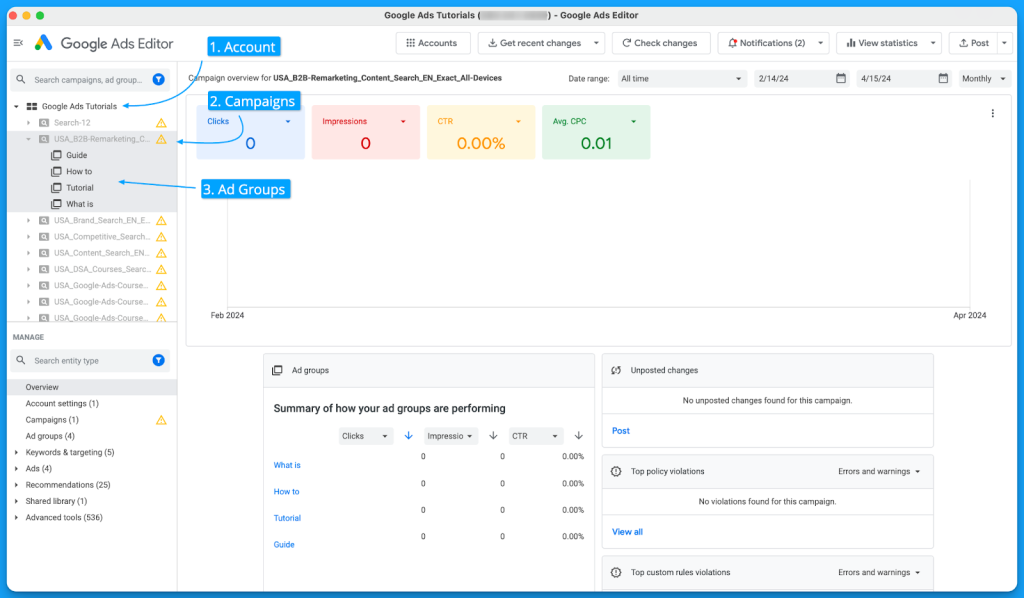
Google Ads Editor is the desktop powerhouse for managing Google Ads campaigns at scale. Instead of making changes one by one, marketers can bulk edit keywords, ads, and bids across accounts—saving hours on repetitive work. With AI-driven recommendations integrated from Google Ads, you can optimize campaigns directly inside the tool and push updates live in seconds.
- Best Use Cases: managing multiple ad accounts, bulk editing campaigns, testing ad variations, offline campaign planning.
- Why It Works: Ads Editor combines offline control + AI insights from Google Ads, giving growth marketers both speed and smart recommendations.
- Pros: free to use, handles massive accounts, bulk operations, integrates AI suggestions.
- Cons: limited to Google Ads ecosystem; still requires strategy to interpret AI recommendations.
- Free vs Paid: completely free as part of the Google Ads suite; AI optimizations scale with your Google Ads account.
👉 If Performance Max automates campaigns, then Google Ads Editor is the control panel—the AI-assisted toolkit for marketers running ads at serious scale.
Google Analytics
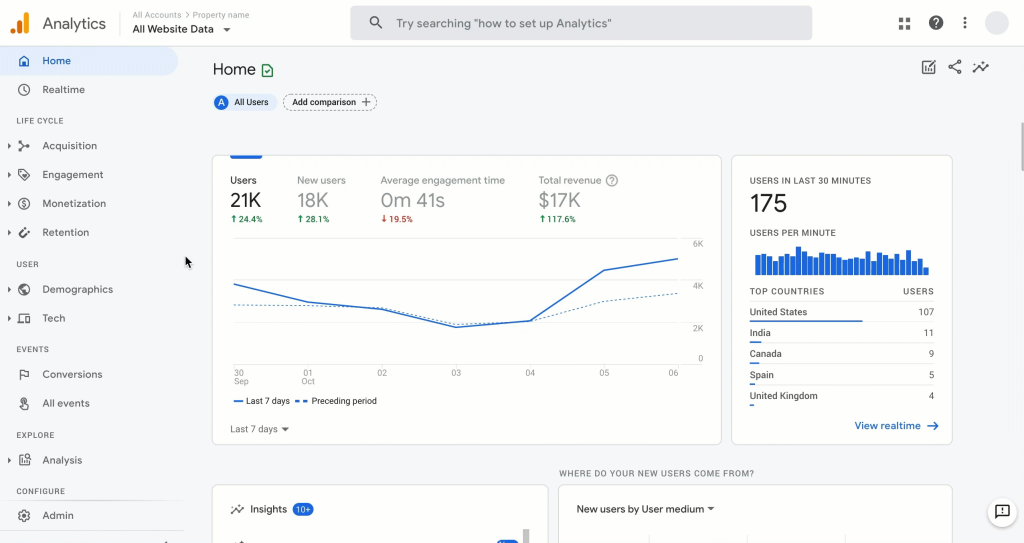
Google Analytics (GA4) is the foundation of modern marketing analytics, helping teams track user behavior across websites and apps. With AI-powered insights and predictive models, GA4 goes beyond simple reporting—highlighting trends, forecasting conversions, and building predictive audiences you can target directly in Google Ads.
- Best Use Cases: traffic analysis, conversion tracking, multi-channel attribution, predictive customer segments.
- Why It Works: GA4 unifies event-based tracking + AI predictions, giving growth marketers clarity on what drives ROI.
- Pros: free and powerful, integrates deeply with Google Ads, predictive insights, customizable dashboards.
- Cons: learning curve vs old Universal Analytics; limited out-of-the-box reports, requires setup for advanced funnels.
- Free vs Paid: GA4 is free; GA360 (enterprise) unlocks higher data limits, advanced attribution, and SLAs.
👉 If Semrush and Ahrefs show you the battlefield, then Google Analytics is the radar—the must-have AI-enhanced tool that keeps every marketer’s decisions data-driven.
Google Ads Scripts
Google Ads Scripts let marketers go beyond manual tweaks by automating repetitive tasks with code. Using JavaScript snippets, you can manage bids, pause underperforming ads, adjust budgets, or even pull reports automatically. Combined with AI-driven conditions (like smart bidding data or custom algorithms), Scripts turn Google Ads into a self-optimizing system.
- Best Use Cases: bid adjustments, budget pacing, A/B test automation, performance alerts, custom reporting.
- Why It Works: instead of reacting to campaign changes manually, Scripts let you set rules and AI logic that act in real time.
- Pros: free, flexible, powerful for scale, integrates with Google Sheets & APIs.
- Cons: requires basic coding knowledge; misuse can break campaigns; limited UI vs Google Ads Editor.
- Free vs Paid: completely free inside Google Ads; complexity depends on your coding and data skills.
👉 If Google Ads Editor is the bulk control panel, then Google Ads Scripts are the autopilot—helping growth marketers run smarter, faster, and leaner campaigns powered by automation and AI.
Social Advertising
Facebook Ads Manager
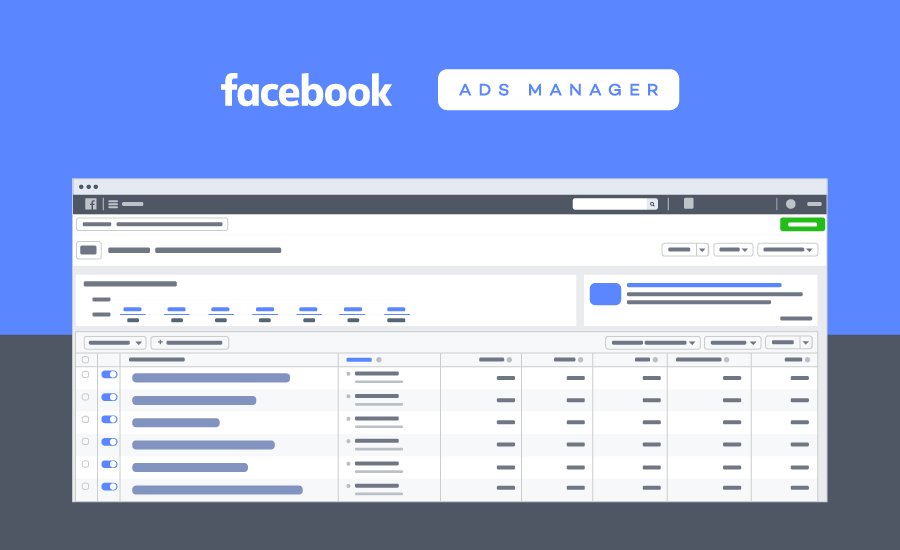
Facebook Ads Manager is the control center for running ads across Facebook, Instagram, Messenger, and Audience Network. With Meta’s AI-driven optimization, Ads Manager helps marketers create campaigns, test audiences, and automatically allocate budget to the ads that convert best. From creative testing to real-time performance insights, it’s built to scale growth fast.
- Best Use Cases: social ad campaigns, audience targeting, A/B creative testing, conversion tracking.
- Why It Works: Meta’s AI models optimize delivery in real time, ensuring your ads reach the people most likely to engage or buy.
- Pros: massive audience reach, advanced targeting, AI-powered budget optimization, integrated reporting.
- Cons: costs are rising; AI black-box optimization means less control; steep learning curve for beginners.
- Free vs Paid: free to use as part of Meta Business Suite; ad spend is the only cost.
👉 If Google Ads Scripts are the autopilot, then Facebook Ads Manager is the jet engine—leveraging Meta’s AI to push your campaigns further and faster than manual targeting ever could.
AdEspresso
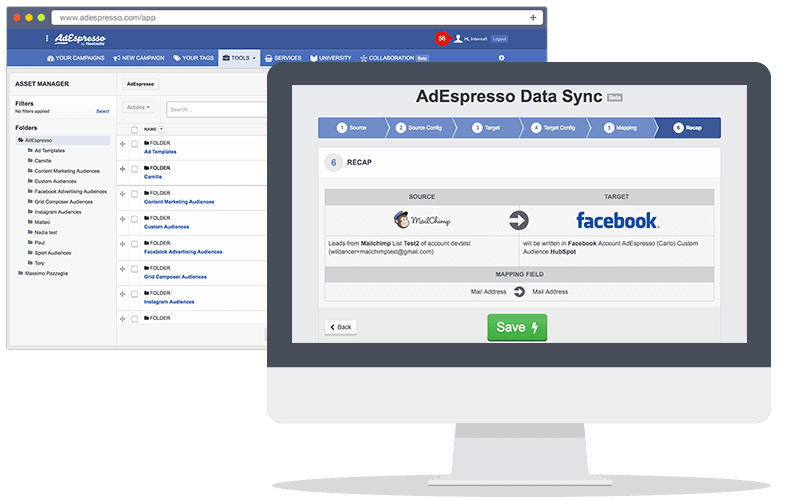
AdEspresso by Hootsuite is a platform built to simplify ad creation, testing, and optimization across Facebook, Instagram, and Google Ads. Instead of managing campaigns manually, AdEspresso lets you generate dozens of ad variations, run structured A/B tests, and use AI insights to double down on the creatives and audiences that perform best.
- Best Use Cases: A/B testing ad creatives, managing multi-channel ads, optimizing campaigns for SMBs and agencies.
- Why It Works: combines easy-to-use editor + AI optimization, so even small teams can scale campaigns like pros.
- Pros: intuitive interface, great for ad experiments, detailed reporting, integrates with Hootsuite.
- Cons: less advanced automation vs native Ads Manager; better for SMBs than large enterprises.
- Free vs Paid: no permanent free plan; paid tiers unlock bulk testing, reporting, and full AI optimization features.
👉 If Facebook Ads Manager is the jet engine, then AdEspresso is the flight instructor—helping marketers run experiments, learn faster, and get the most out of every dollar spent.
Marketing Automation Tools
Workflow Automation Leaders
Zapier
Zapier is the automation tool most people start with—and for good reason. It connects thousands of apps (Gmail, Slack, Notion, HubSpot, and more) into automated workflows called “Zaps.” With AI integrations now built-in, Zapier makes it simple to plug ChatGPT, Claude, or Gemini directly into your daily tasks—no coding required.
- Best Use Cases: automating emails, syncing CRM updates, generating AI-powered responses, social posting, lead capture → nurturing.
- Why It Works: thousands of pre-built integrations + a clean visual editor = anyone can build workflows in minutes.
- Pros: easy to use, massive app ecosystem, fast to launch.
- Cons: pricing scales quickly with usage; less customizable than n8n or Make for complex workflows.
- Free vs Paid: free plan for basic automations; premium plans unlock multi-step Zaps, AI integrations, and advanced logic.
👉 If n8n is the automation OS and Make is the creative sandbox, Zapier is the no-code productivity bridge—perfect for getting quick wins and scaling simple AI workflows without technical headaches.
Make
Make (formerly Integromat) is the most flexible visual automation platform for building complex, multi-step workflows. Where Zapier focuses on simplicity and n8n on open-source power, Make gives you a drag-and-drop canvas to design even the most intricate AI-powered systems—from lead generation pipelines to fully automated content distribution.
- Best Use Cases: automating multi-app workflows, content repurposing at scale, AI-driven marketing funnels, complex data flows.
- Why It Works: powerful visual editor + conditional logic + real-time execution = perfect for scaling AI use cases without writing code.
- Pros: highly customizable, great for multi-step automations, supports large data handling, intuitive UI.
- Cons: steeper learning curve than Zapier; advanced workflows can get resource-intensive; pricing based on “operations” can add up.
- Free vs Paid: free plan with limited operations; paid plans unlock higher task volumes, premium integrations, and enterprise-grade features.
👉 If Zapier is the fast no-code bridge and n8n is the developer’s automation OS, then Make is the visual sandbox—ideal for teams who want to design, experiment, and scale complex AI workflows with full control.
N8n – The Open-Source Automation Engine for AI Workflows

n8n isn’t just another automation tool—it’s the open-source powerhouse that lets you connect apps, APIs, and AI models into custom workflows. Unlike Zapier or Make, n8n gives you full control, flexibility, and even self-hosting options, making it a favorite for developers, growth hackers, and teams that want to automate at scale without vendor lock-in.
- Best Use Cases: automating AI pipelines (e.g., prompt → output → publish), integrating ChatGPT/Claude/Gemini with CRMs or project tools, large-scale data processing.
- Why It Works: visual workflow builder + unlimited customization via code nodes + deep AI integrations.
- Pros: open-source, highly flexible, scalable, strong community support.
- Cons: steeper learning curve than plug-and-play automation tools; requires setup if self-hosted.
- Free vs Paid: free self-hosted version with full features; cloud plan offers managed hosting, scaling, and enterprise features.
👉 If Zapier is the quick-fix automation tool, then n8n is the automation OS—perfect for building end-to-end AI-powered systems that grow with your business.
Project Management Integration
Notion – Your Second Brain, Supercharged with AI
Notion has long been the go-to app for notes, wikis, and team collaboration—and with Notion AI, it evolves into a true productivity copilot. Instead of just storing information, Notion now helps you summarize docs, draft content, generate action items, and even run multi-step agents directly inside your workspace. This means your knowledge base isn’t static anymore—it actively works with you.
- Best Use Cases: note-taking, meeting summaries, task tracking, team documentation, brainstorming.
- Why It Works: deep integration with Notion’s block system + AI that understands your workspace context.
- Pros: seamless inside your daily tool, strong for knowledge workers, great mix of writing + organizing + planning.
- Cons: less powerful for creative long-form writing vs Jasper/Claude; AI features require paid plans.
- Free vs Paid: free Notion includes core productivity features; Notion AI add-on unlocks AI writing, summarization, and advanced agent workflows.
👉 If Canva is the visual hub and Zapier is the automation bridge, then Notion AI is the thinking layer—the second brain that organizes, recalls, and now even acts on your knowledge.
ClickUp – The All-in-One Productivity Platform with AI Built In
ClickUp has always positioned itself as the all-in-one productivity hub for teams, combining task management, docs, goals, and dashboards in a single platform. With ClickUp AI, it becomes even more powerful—helping you write project briefs, summarize updates, generate action items, and speed up workflows right inside your workspace.
- Best Use Cases: project management, sprint planning, knowledge sharing, team collaboration.
- Why It Works: instead of switching between multiple apps, ClickUp centralizes everything and uses AI to cut through the noise—summarizing tasks, drafting docs, and automating updates.
- Pros: highly customizable, strong hierarchy for large projects, built-in AI saves hours on admin work.
- Cons: can feel overwhelming for new users; advanced features shine most for teams, not solo users.
- Free vs Paid: generous free plan for individuals/small teams; paid plans unlock AI assistant, advanced automations, and enterprise-grade tools.
👉 If Notion AI is the second brain and n8n is the automation engine, then ClickUp AI is the mission control center—the place where projects, people, and AI productivity converge.
Trello – Visual Task Management with AI Assistance
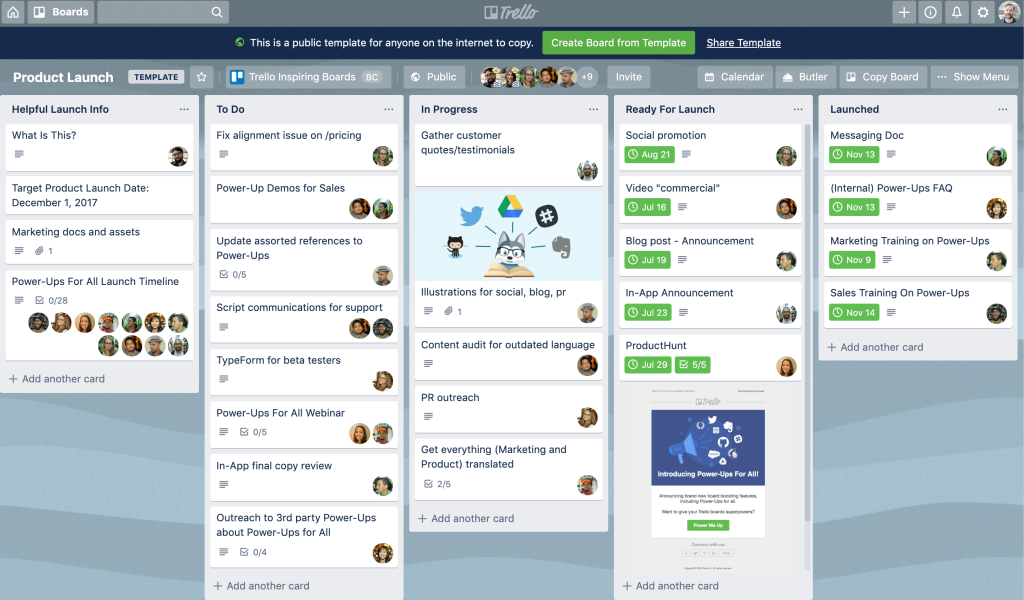
Trello is the visual project management tool built around boards, lists, and cards that make teamwork simple and intuitive. With AI now integrated, Trello helps marketers generate task checklists, summarize project updates, and suggest next steps—turning a simple kanban board into a smarter productivity hub.
- Best Use Cases: campaign planning, content calendars, team task tracking, lightweight workflows.
- Why It Works: Trello’s drag-and-drop simplicity + AI-powered suggestions make it easy for marketing teams to stay aligned without overcomplicating processes.
- Pros: clean and flexible, beginner-friendly, integrates with dozens of apps, now enhanced with AI automation.
- Cons: limited for enterprise-level project management compared to ClickUp/Asana; advanced AI locked behind Power-Ups.
- Free vs Paid: free plan with core boards and lists; paid tiers unlock advanced AI automation, unlimited boards, and enterprise features.
👉 If ClickUp is the mission control center and Asana is the clarity engine, then Trello is the visual canvas—now smarter with AI to keep marketing workflows moving smoothly.
Motion – The AI Calendar That Plans Your Day for You
Motion is an AI-powered calendar and task manager that automatically organizes your schedule. Instead of manually blocking time, Motion uses AI to prioritize tasks, reschedule meetings, and build an optimized daily plan—helping you stay productive without the constant shuffle. For busy professionals and teams, it’s like having a personal assistant that never forgets.
- Best Use Cases: time blocking, task prioritization, meeting scheduling, project deadlines.
- Why It Works: Motion continuously re-plans your calendar in real time when priorities shift, ensuring your most important tasks always get done.
- Pros: saves hours of planning every week, eliminates context-switching, strong for individuals and small teams.
- Cons: less flexible for complex project management compared to ClickUp/Asana; best suited for task + calendar workflows.
- Free vs Paid: no permanent free plan; paid subscription unlocks full AI scheduling, team collaboration, and advanced productivity features.
👉 If Asana AI gives you clarity at the project level, then Motion is the execution engine—turning your to-do list into a dynamic, done-for-you daily plan.
Creative & Design Tools
AI-Enhanced Design
Canva AI – The Visual Productivity Platform Powered by AI
Canva has evolved from a simple design app into an all-in-one creative productivity suite. With features like Magic Write (AI text generation), Magic Edit, and Text-to-Image, Canva now helps teams produce everything from blog graphics and pitch decks to social content—without needing a professional designer. Its biggest advantage is how quickly non-designers can create on-brand, professional visuals at scale.
- Best Use Cases: social media graphics, presentations, marketing collateral, quick design tasks.
- Why It Works: drag-and-drop simplicity combined with AI tools = less time designing, more time publishing.
- Pros: huge template library, AI-powered creative features, team collaboration.
- Cons: advanced AI features (like Magic Write) can feel basic compared to specialized tools; heavy users may outgrow free assets.
- Free vs Paid: free tier covers core design features; Canva Pro unlocks premium templates, brand kits, advanced AI features, and collaboration tools.
👉 In any AI Productivity Toolkit, Canva is the visual engine—turning ideas into polished designs in minutes, whether for a solopreneur or a full marketing team.
Adobe Creative Suite
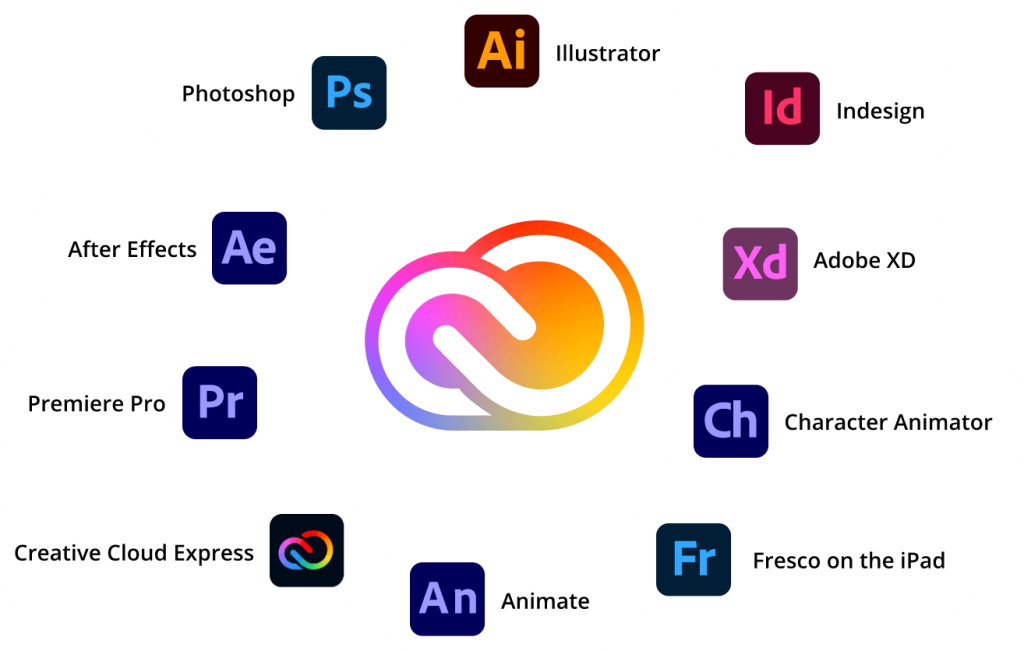
Adobe Creative Suite (now Creative Cloud) is the gold standard for creative professionals—from Photoshop and Illustrator to Premiere Pro and After Effects. With the integration of Adobe Firefly (AI generative models), marketers can now generate images, edit visuals, remove objects, expand backgrounds, or even create design variations instantly. For video and audio, Adobe’s AI tools automate transcription, captioning, and smart editing, turning hours of manual work into minutes.
- Best Use Cases: ad creative design, video editing, brand identity, campaign visuals, motion graphics.
- Why It Works: Adobe combines decades of pro-grade design tools + AI generative features, making it easier to deliver stunning campaigns faster without sacrificing quality.
- Pros: unmatched creative depth, Firefly AI built into apps, trusted by professionals worldwide.
- Cons: subscription pricing; learning curve for beginners; heavy on system resources.
- Free vs Paid: free trial available; paid Creative Cloud plans unlock full suite with Firefly AI features integrated.
👉 If Canva is the quick design engine and Runway is the fast video lab, then Adobe Creative Suite is the creative powerhouse—the ultimate AI-enhanced toolkit for professional-grade marketing assets.
Figma – Collaborative Design Supercharged with AI
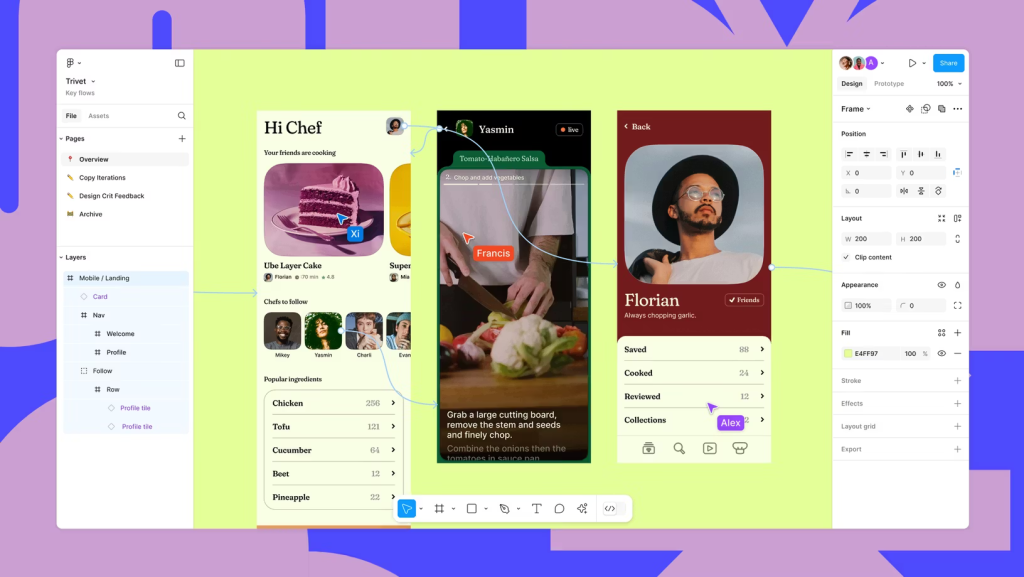
Figma has redefined how teams design, prototype, and collaborate in real time. With Figma AI, marketers and designers can now generate design variations, auto-layouts, and even text suggestions directly inside the canvas—cutting hours off the creative process. For growth marketers, it’s not just a design tool, it’s a collaboration hub where campaigns come to life faster.
- Best Use Cases: UX/UI design, marketing visuals, ad creative mockups, collaborative prototyping.
- Why It Works: Figma’s cloud-native platform + AI assistance = teams can co-create, iterate, and polish campaigns without endless back-and-forth.
- Pros: real-time collaboration, cross-platform, AI-assisted design suggestions, strong plugin ecosystem.
- Cons: AI features still evolving; less offline capability vs Adobe tools.
- Free vs Paid: free plan with core features; paid plans unlock advanced AI credits, team libraries, and enterprise collaboration tools.
👉 If Canva is the fast design engine and Adobe Creative Suite is the pro powerhouse, then Figma is the AI-driven collaboration hub—perfect for teams scaling creative output without friction.
Content Creation
Jasper AI– The Marketing Copywriting Powerhouse
Jasper AI has carved out its niche as the go-to AI for marketers and content teams. Unlike general-purpose chatbots, Jasper is fine-tuned for brand voice, marketing copy, and campaign content. From blog posts and ad headlines to email sequences and social captions, Jasper helps teams scale content without sacrificing consistency.
- Best Use Cases: blog writing at scale, ad copy, email campaigns, brand messaging.
- Why It Works: built-in templates + “brand voice” feature ensure output matches your tone, not generic AI text.
- Pros: strong for structured marketing tasks, collaboration-friendly, integrates with tools like Surfer SEO and HubSpot.
- Cons: less flexible for non-marketing use cases, higher pricing than general AI assistants.
- Free vs Paid: Jasper offers a short trial; full access requires a paid plan starting at team-level pricing.
👉 If your goal is to turn ideas into polished marketing assets fast, Jasper is one of the most efficient AI tools you can add to your productivity stack.
Copy.ai – The AI Growth Copilot for Sales and Marketing
Copy.ai goes beyond simple content generation. It’s built as a growth-focused AI copilot that helps sales and marketing teams write faster, launch campaigns, and scale outreach. From cold emails and LinkedIn messages to blog ideas and ad copy, Copy.ai specializes in turning prompts into ready-to-use assets that drive engagement.
- Best Use Cases: sales outreach, cold emails, ad campaigns, social media content.
- Why It Works: packed with pre-built workflows (sales sequences, product launches) so teams can plug in their context and get instant results.
- Pros: strong for B2B sales & marketing, team collaboration features, easy onboarding.
- Cons: less flexible for technical or long-form content; best value when used by sales/marketing teams, not solo creators.
- Free vs Paid: Copy.ai offers a free plan with limited credits; advanced workflows and team features unlock on Pro and Enterprise plans.
👉 If Jasper is the content engine for marketers, Copy.ai is the sales and growth accelerator—ideal for teams who want AI to help them close deals, not just write blogs.
Conversion Rate Optimization Tools
Testing & Optimization
Optimizely – A/B testing platform leader
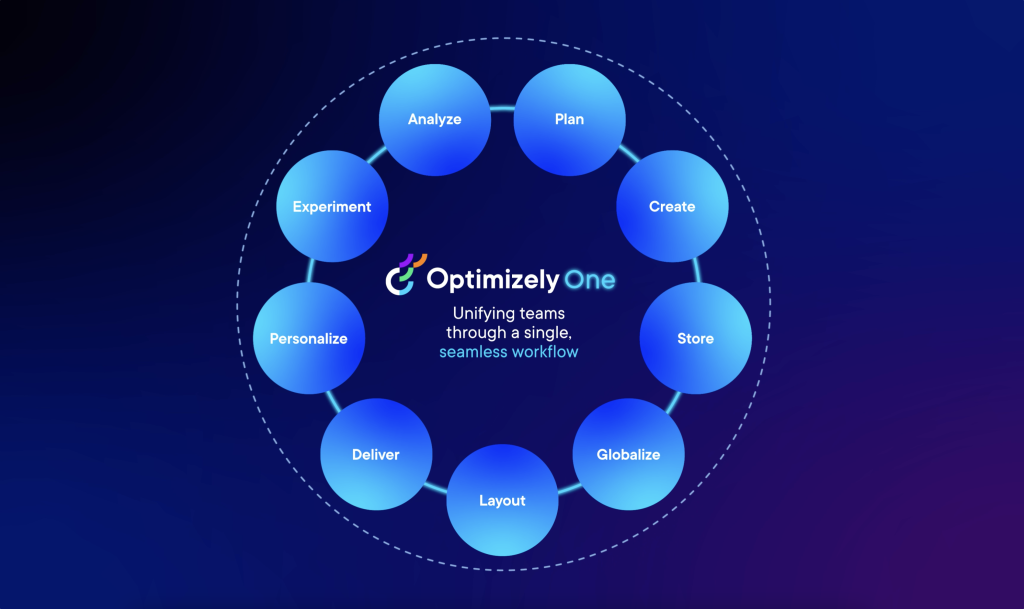
Optimizely is the leading digital experience platform that helps marketers run A/B tests, multivariate experiments, and AI-driven personalization at scale. Instead of guessing what works, Optimizely uses data and machine learning to show the best variations of content, ads, or landing pages—ensuring every visitor gets the most relevant experience.
- Best Use Cases: A/B testing ad creatives, optimizing landing pages, personalizing customer journeys, experimentation at scale.
- Why It Works: combines robust experimentation tools + AI recommendations, giving growth marketers confidence in data-backed decisions.
- Pros: enterprise-grade testing, AI personalization, deep integrations with CMS and analytics platforms.
- Cons: pricing designed for mid-size to enterprise; requires setup and strategy to maximize value.
- Free vs Paid: no permanent free plan; enterprise contracts unlock experimentation suite, personalization AI, and advanced analytics.
👉 If Google Optimize was the starter kit, then Optimizely is the enterprise lab—helping growth marketers experiment, personalize, and scale campaigns with AI precision.
VWO – Comprehensive CRO suite
VWO (Visual Website Optimizer) is a conversion rate optimization (CRO) and experimentation platform that helps marketers improve website performance through A/B tests, heatmaps, and AI-driven insights. Instead of relying on guesswork, VWO enables you to test headlines, CTAs, layouts, and funnels—then uses AI to highlight winning variations.
- Best Use Cases: A/B testing landing pages, optimizing funnels, reducing bounce rates, improving conversions.
- Why It Works: VWO combines visual editing tools + behavior analytics + AI recommendations, giving marketers a complete CRO toolkit without needing heavy dev support.
- Pros: easy-to-use visual editor, heatmaps and session replays included, AI-driven insights, affordable compared to Optimizely.
- Cons: less powerful for enterprise-scale experimentation; reporting depth lighter than Optimizely.
- Free vs Paid: free trial available; paid plans unlock advanced targeting, unlimited experiments, and AI-powered insights.
👉 If Optimizely is the enterprise lab, then VWO is the agile CRO toolkit—perfect for growth marketers who want to test, learn, and scale fast with AI-backed decisions.
Landing Page Builders
Unbounce
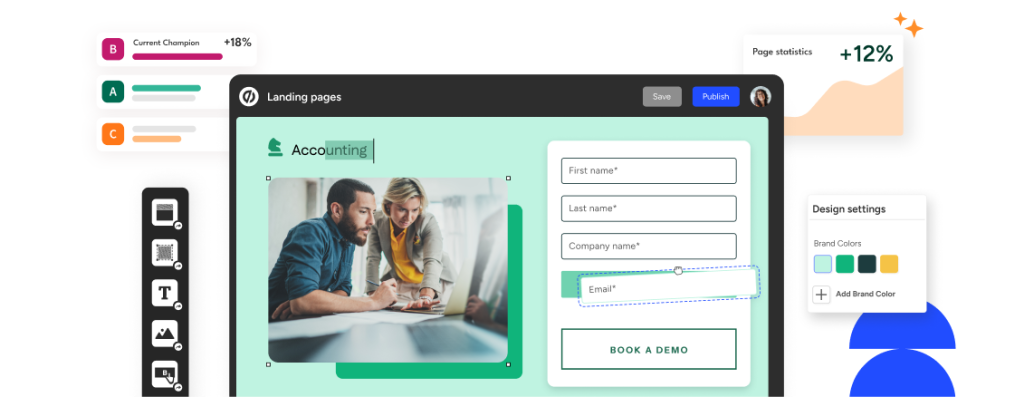
Unbounce is a landing page and conversion optimization platform built to help marketers capture more leads and sales without needing developers. With its Smart Builder and Smart Copy (AI writing assistant), Unbounce makes it easy to design high-converting pages, generate persuasive copy, and test variations—all in a few clicks.
- Best Use Cases: campaign landing pages, lead gen forms, A/B testing, PPC & social ad funnels.
- Why It Works: Unbounce combines drag-and-drop design + AI copy + optimization tools, ensuring every page is built for conversions, not just looks.
- Pros: fast page creation, AI-driven copy suggestions, dynamic text replacement for ads, strong CRO features.
- Cons: less flexible for full websites; pricing higher than basic page builders like Elementor.
- Free vs Paid: free trial available; paid plans unlock Smart Builder, Smart Copy, advanced A/B testing, and integrations with CRM/ads.
👉 If VWO is the CRO testing lab and Optimizely is the enterprise experiment hub, then Unbounce is the AI landing page builder—giving growth marketers the fastest path from ad click to conversion.
Leadpages
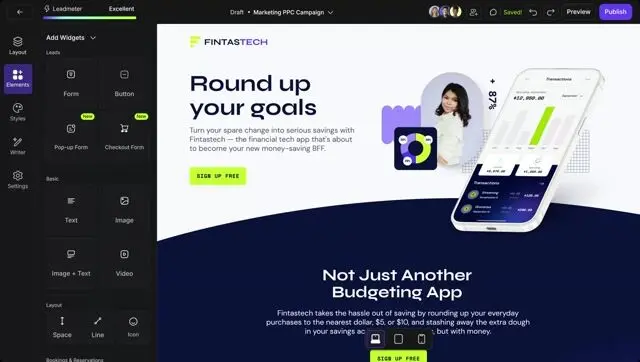
Leadpages is a landing page and website builder built for entrepreneurs, creators, and SMBs who want to generate leads and sales without coding. With its AI-powered content assistant and conversion-focused templates, Leadpages makes it simple to launch high-performing pages, pop-ups, and alert bars in minutes.
- Best Use Cases: quick campaign landing pages, lead magnet delivery, webinar signups, small business websites.
- Why It Works: Leadpages focuses on simplicity + proven conversion patterns, now enhanced by AI that generates copy and helps optimize your designs.
- Pros: affordable, beginner-friendly, mobile-optimized templates, integrates with email & CRM tools.
- Cons: less advanced CRO testing vs Unbounce or Instapage; best suited for SMBs, not enterprise.
- Free vs Paid: free trial available; paid plans unlock unlimited publishing, AI content assistant, and premium integrations.
👉 If Unbounce is the AI landing page builder for performance marketers, then Leadpages is the SMB-friendly growth tool—perfect for solopreneurs and small teams who want fast, AI-enhanced lead generation without the complexity.
Instapage
Instapage is a premium landing page platform designed for performance marketers and agencies who need more than just a simple page builder. With AI-powered personalization, heatmaps, and ad-to-page optimization, Instapage ensures every visitor sees the most relevant experience—boosting conversion rates across paid campaigns.
- Best Use Cases: PPC ad funnels, post-click optimization, personalized landing experiences, enterprise campaigns.
- Why It Works: Instapage combines drag-and-drop design + AI personalization + analytics, making it easier to align ads with landing pages and maximize ROI.
- Pros: enterprise-grade personalization, AI-driven testing, strong analytics, collaboration features.
- Cons: higher pricing than Leadpages/Unbounce; best suited for mid-market & enterprise teams.
- Free vs Paid: no permanent free plan; paid tiers unlock AI optimization, heatmaps, dynamic text replacement, and advanced personalization.
👉 If Leadpages is the SMB growth builder and Unbounce is the marketer’s CRO toolkit, then Instapage is the enterprise-grade optimizer—built for teams running large-scale ad campaigns that demand precision targeting.
Customer Data & Personalization
Customer Data Platforms
Segment
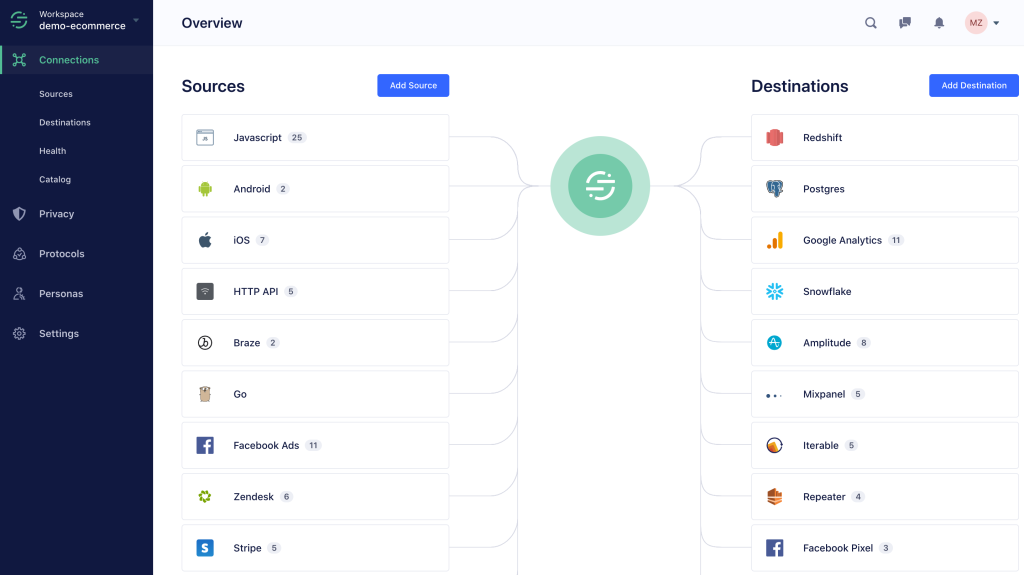
Segment, now part of Twilio, is a customer data platform that helps growth marketers unify data from websites, apps, CRMs, and marketing tools into one place. With AI and predictive modeling, Segment makes it possible to create accurate customer profiles, build smarter audiences, and deliver personalized experiences at scale.
- Best Use Cases: audience segmentation, cross-channel personalization, customer journey mapping, data-driven campaigns.
- Why It Works: Segment ensures every tool in your stack is powered by clean, unified, AI-enriched customer data, so personalization doesn’t just look good on paper—it actually works.
- Pros: strong integrations (400+ apps), real-time data syncing, AI-powered audience predictions, scalable for enterprise.
- Cons: setup can be complex; pricing scales with data volume; overkill for very small teams.
- Free vs Paid: free developer plan available; paid tiers unlock advanced CDP features, AI insights, and enterprise governance.
👉 If GA4 is your radar and HubSpot is your CRM hub, then Segment is the data engine—fueling your AI marketing tools with clean, actionable insights.
Salesforce CDP
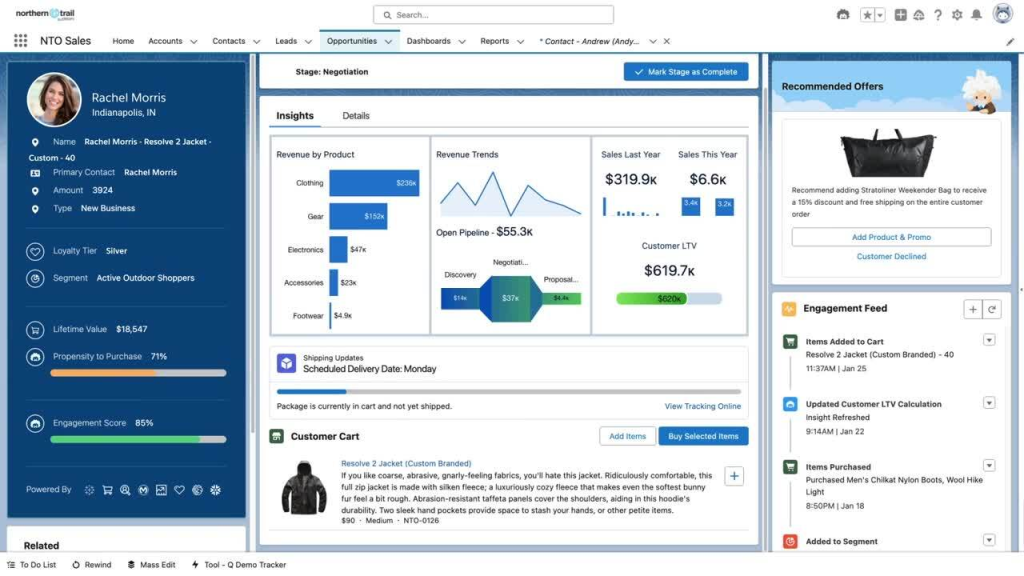
Salesforce CDP, now branded as Data Cloud, is the enterprise-grade customer data platform that unifies data from every touchpoint—sales, service, marketing, and commerce—into a single, actionable profile. With Einstein AI baked in, Salesforce CDP helps marketers predict behavior, personalize journeys in real time, and activate campaigns across every channel.
- Best Use Cases: enterprise-level personalization, omnichannel marketing, predictive modeling, real-time customer journeys.
- Why It Works: Salesforce combines its CRM dominance + CDP + AI (Einstein), giving organizations the ability to deliver 1:1 personalization at scale—powered by unified, trusted data.
- Pros: deep enterprise integrations, real-time AI insights, scalability for global brands, part of the Salesforce ecosystem.
- Cons: complex setup and pricing; best for enterprise rather than SMBs.
- Free vs Paid: no free plan; enterprise contracts include Data Cloud, AI-powered predictions, and integrations with Salesforce CRM + Marketing Cloud.
👉 If Segment is the agile data engine for growth teams, then Salesforce CDP is the enterprise control tower—fueling AI marketing automation, personalization, and customer intelligence at global scale.
AI is no longer the shiny object on the sidelines—it’s the growth engine redefining how modern marketers work. From copywriting and design to automation, analytics, and personalization, today’s best AI tools aren’t about replacing creativity. They’re about amplifying it, giving you speed, precision, and insights that were impossible just a year ago.
The smartest growth marketers won’t chase every new app. They’ll build a stack that aligns with their goals:
- AI copy + creative tools to ship campaigns faster.
- SEO + analytics tools to sharpen visibility.
- CRM + automation to scale personalization.
- Data platforms to unify insights and fuel smarter decisions.
The future doesn’t belong to marketers who fear AI—it belongs to those who learn it, test it, and deploy it strategically.
👉 Start small, test relentlessly, and keep refining your AI toolkit. Done right, it won’t just save you time—it will multiply your impact and turn your marketing into a true growth machine.
FAQ: AI Marketing Toolkit
What is an AI Marketing Toolkit?
An AI Marketing Toolkit is a curated set of tools—covering content creation, SEO, design, advertising, CRM, and analytics—that helps marketers work faster, personalize campaigns, and drive growth with automation and AI insights.
Which AI tools are best for marketing in 2025?
It depends on your goals. For copy, tools like Jasper and Copy.ai excel. For SEO, Surfer and Semrush are leaders. For design, Canva and Adobe Firefly shine. For automation, Zapier and n8n are game changers. The best toolkit is the one that fits your growth priorities.
Can AI replace marketers?
No. AI is a multiplier, not a replacement. It automates repetitive tasks and generates ideas, but marketers still provide strategy, creativity, and judgment. The winning formula is AI + human expertise, not either-or.
How do AI marketing tools improve ROI?
They save time (faster execution), reduce costs (smaller teams can scale), and increase precision (better targeting, smarter insights). For example, AI ad tools generate multiple variations in minutes, while AI SEO platforms identify the keywords most likely to convert.
Are there free AI marketing tools?
Yes. Many platforms—like Canva, Buffer, and Mailchimp—offer free tiers with basic AI features. However, to unlock advanced personalization, automation, and analytics, most growth teams eventually move to paid plans.