

Rank Math SEO is a WordPress plugin designed to simplify the SEO optimization process for your website. With its intuitive interface and powerful features, Rank Math has quickly become one of the most popular choices among webmasters and SEO professionals.
In this article, I’ll walk you through everything you need to know about Rank Math SEO — from installation and setup to advanced optimization techniques that help your content rank higher.
Here’s what you’ll learn:
- How to install and activate Rank Math SEO
- Step-by-step setup and configuration guide
- How to optimize your on-page SEO with Rank Math
- How to use advanced features (Schema, Redirection, etc.)
- Comparison between Rank Math and Yoast SEO
Let’s dive in and see how Rank Math SEO can help you optimize your website and climb higher in search rankings.
What is Rank Math SEO?

Rank Math SEO is an all-in-one SEO plugin for WordPress, built to help users easily and effectively optimize their website content. It provides a wide range of on-page SEO features — including content analysis, keyword optimization, and automatic Schema markup generation.
One standout feature of Rank Math is its ability to support multiple focus keywords per post or page. This allows you to optimize content for several search phrases simultaneously, increasing your chances of ranking for more queries.
It also integrates seamlessly with Google Search Console and Google Analytics, giving you a complete view of your SEO performance.
Why You Should Use Rank Math SEO
Rank Math stands out from other SEO plugins for several key reasons:
- User-friendly interface: Easy to use, even for beginners.
- Multiple keyword support: Optimize for multiple keywords in a single post.
- Integration with analytics tools: Connect directly with Google Search Console and Analytics.
- Automatic Schema markup: Automatically create and manage structured data.
- Detailed SEO analysis: Get SEO scores and actionable improvement suggestions.
By using Rank Math, you can significantly improve your website’s SEO score, attract more organic traffic, and increase conversions or revenue.
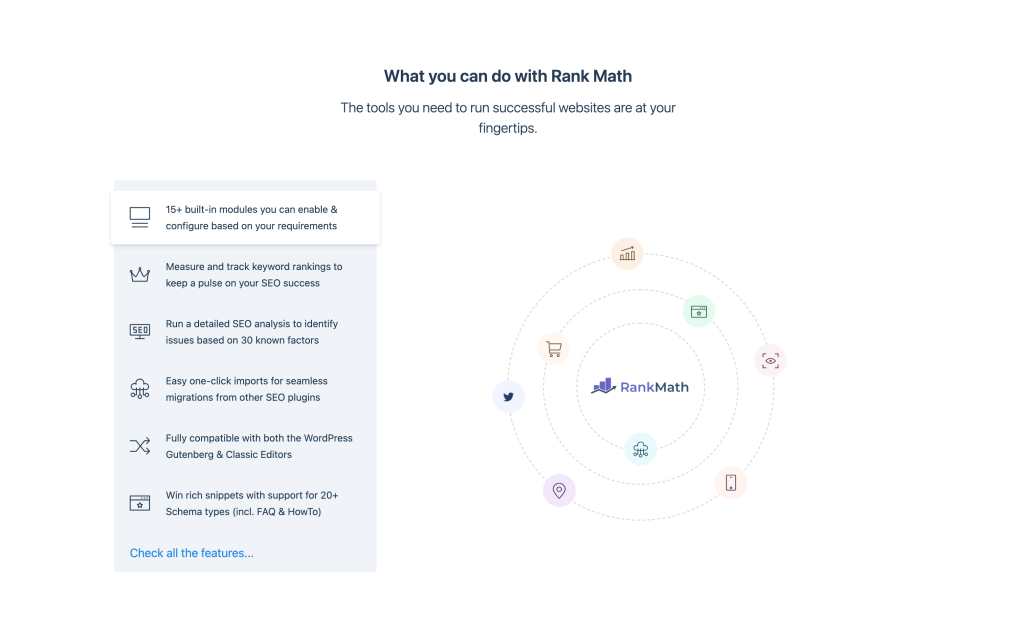
Installation and Basic Configuration
Preparation
Before you install Rank Math SEO, make sure:
- WordPress is already installed on your website.
- You have admin privileges to install and activate plugins.
- You’ve backed up your website before making any major changes.
Installation Steps
To install Rank Math SEO:
- Log in to your WordPress dashboard.
- Go to Plugins → Add New.
- Search for “Rank Math SEO”.
- Click Install Now, then Activate.
If you prefer a manual installation via FTP:
- Download the Rank Math ZIP file from the official website.
- Extract the ZIP on your computer.
- Use an FTP client to upload the extracted folder to
/wp-content/plugins/. - Log into your WordPress dashboard → Plugins → Activate Rank Math SEO.
Activation Wizard
After activation, you’ll be redirected to the Rank Math Setup Wizard.
This will guide you through the basic configuration, including choosing Easy or Advanced mode, setting up SEO basics, and connecting to Google Search Console.
Basic Rank Math Settings
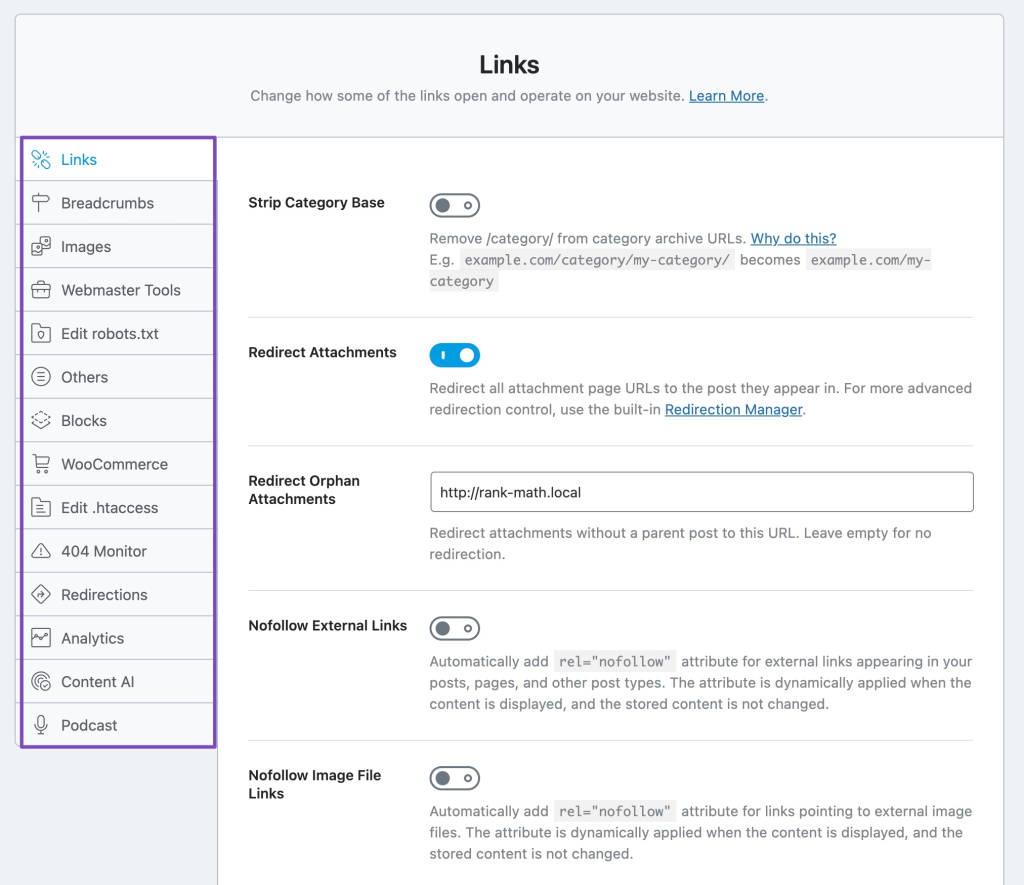
General Setup
Go to Rank Math → General Settings to configure your website’s basic info:
site name, logo, social profiles, and SEO defaults.
Providing complete information helps Rank Math generate proper Schema markup, improving how Google displays your site in search results.
SEO Analysis
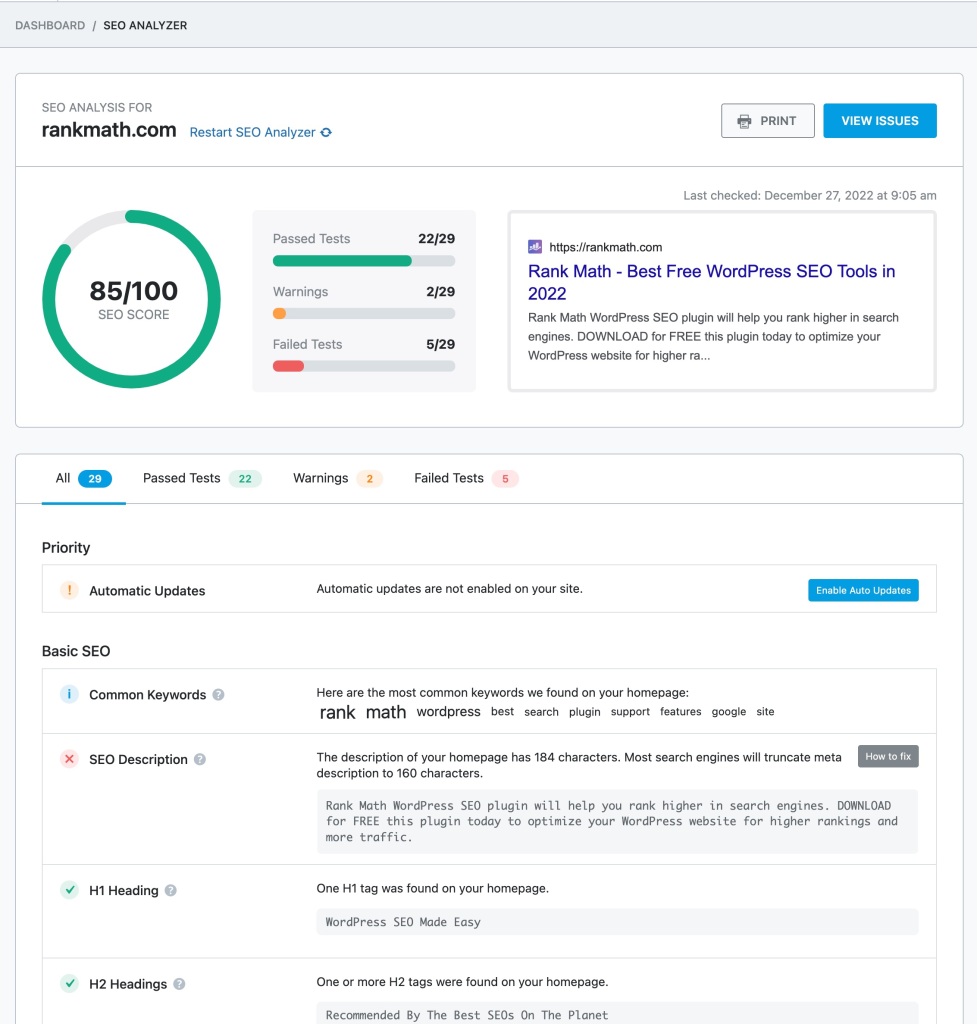
Navigate to Rank Math → SEO Analysis.
Rank Math will scan your entire site and provide a comprehensive SEO score, plus improvement suggestions.
Review these recommendations carefully to improve your site health and technical SEO performance over time.
Connect Google Search Console
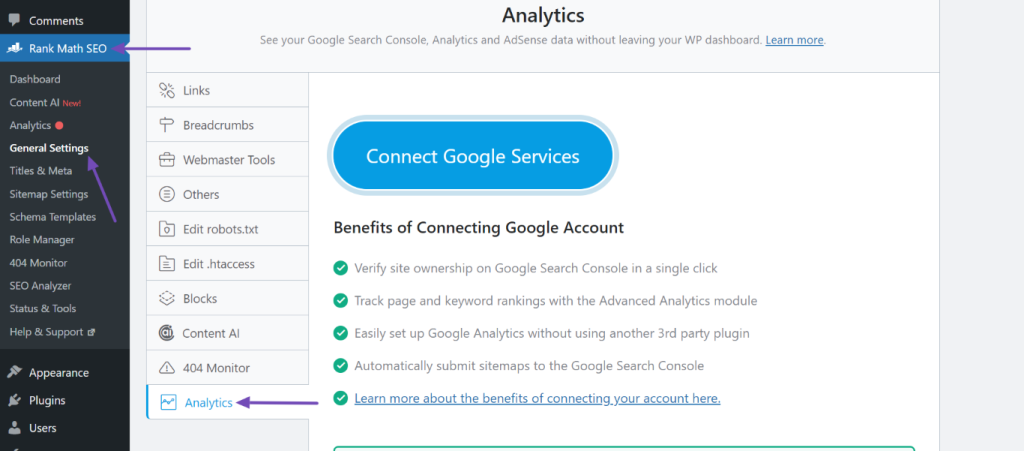
Integrating Rank Math with Google Search Console allows you to monitor your search performance.
Steps:
- Go to Rank Math → Search Console.
- Click Connect Google Account and authenticate.
- Select your verified property.
- Click Import Data to pull in metrics like top queries and CTR.
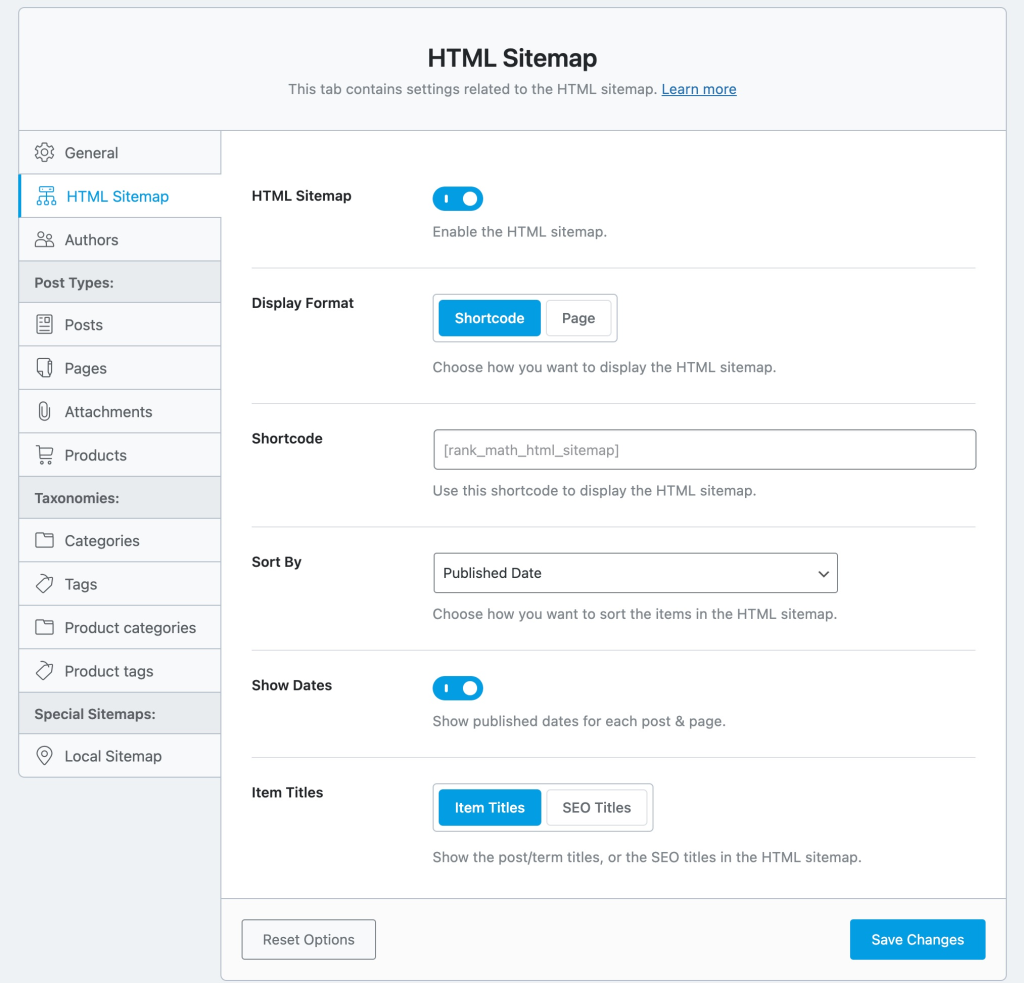
Configure Sitemap
Sitemaps help search engines crawl and index your website effectively.
Steps:
- Go to Rank Math → Sitemap Settings.
- Enable the “Sitemap” option.
- Choose which post types or taxonomies to include.
- Submit your sitemap URL to Google Search Console.
On-Page Optimization with Rank Math SEO
Content Analysis
When editing a post or page, you’ll find the Rank Math panel.
It provides a readability score based on sentence length, active voice usage, and keyword density.
Follow the improvement suggestions to make your content both SEO-friendly and user-friendly.
Focus Keywords
Rank Math allows multiple focus keywords per post.
- In the Rank Math box, find the Focus Keyword field.
- Add your main keyword.
- Click Add Another Focus Keyword if you want more.
Use keywords naturally in your title, headings, and meta description — avoid keyword stuffing.
On-Page SEO Suggestions
Rank Math provides real-time suggestions such as:
- Title & Meta Description: Craft compelling snippets that include your focus keyword.
- Content Optimization: Add keywords in subheadings, adjust length, improve readability.
- URL Structure: Keep URLs short, clean, and descriptive.
Following these tips will greatly enhance your on-page SEO performance.

Advanced Features of Rank Math
Schema Markup
Schema markup helps search engines understand your content better and display rich snippets.
To add Schema:
- In the editor, scroll to the Schema section.
- Choose the schema type (Article, Product, Review, etc.).
- Fill in the necessary fields.
Rich snippets can improve your CTR and visibility.

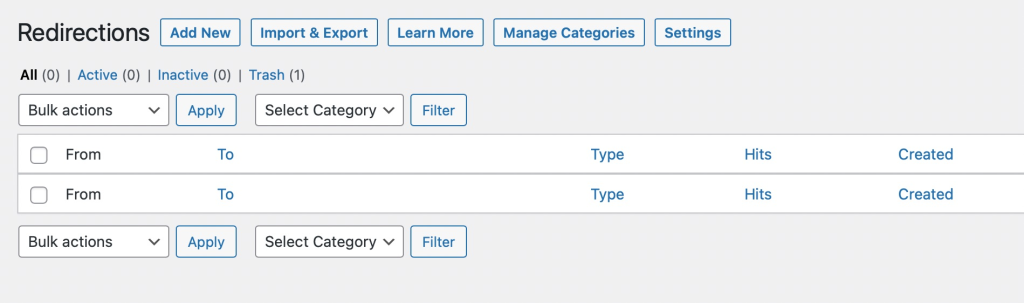
Redirections
Use Rank Math’s built-in Redirection Manager to handle broken links or URL changes.
- Go to Rank Math → Redirections.
- Click Add New.
- Enter the source (old URL) and destination (new URL).
- Choose 301 for permanent redirects.
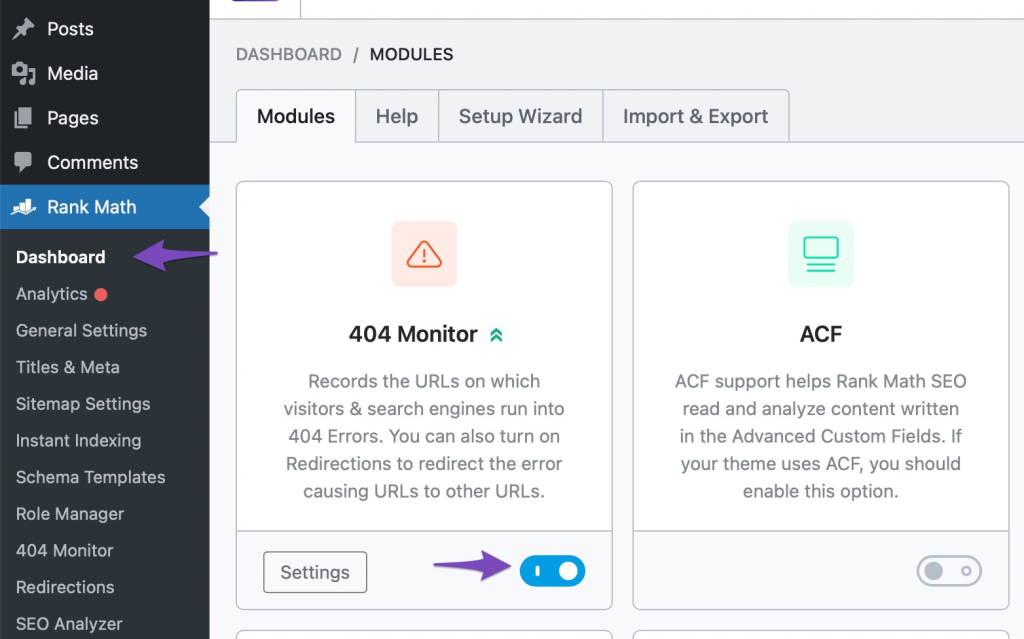
404 Monitor
Track and fix broken pages easily.
- Go to Rank Math → 404 Monitor.
- Enable it.
- Check the list of 404 URLs and either redirect or restore them.
Fixing 404s improves both user experience and SEO health.
Rank Math vs. Yoast SEO
| Feature | Rank Math | Yoast SEO |
|---|---|---|
| Multiple Keywords | ✅ Unlimited | ⚠️ Limited |
| Schema Markup | ✅ Advanced & Customizable | Basic |
| Google Search Console Integration | ✅ Yes | ✅ Yes |
| Content Analysis | ✅ Yes | ✅ Yes |
| Redirections | ✅ Free | ❌ Premium only |
| 404 Monitor | ✅ Free | ❌ Premium only |
| Image Optimization | ✅ Yes | ❌ No |
User Experience
Rank Math offers a cleaner and more beginner-friendly interface with an easy setup wizard.
Yoast is stable and familiar but requires more manual configuration.
Performance
Rank Math is generally lighter and faster than Yoast, making it ideal for large or high-traffic sites.
Pricing
Rank Math:

Yoast SEO:
- Free (basic features)
- Premium: $99/year (1 site)
➡️ Overall, Rank Math delivers more value and features in its free version, making it the better choice for freelancers, small businesses, and growth-focused creators.
Conclusion
Rank Math SEO is a powerful and versatile tool for optimizing your WordPress site.
With its clean interface, deep functionality, and impressive performance, it provides everything you need to boost rankings.
By mastering all features — from content analysis and Schema to redirects and 404 monitoring — you’ll be equipped to achieve maximum SEO impact and elevate your site to the top of search results.
FAQ Section
-
What is Rank Math SEO used for?
Rank Math SEO is a WordPress plugin designed to help users optimize their websites for search engines. It offers on-page SEO analysis, Schema markup, keyword tracking, and advanced features like redirects and 404 monitoring — all in one tool.
-
Is Rank Math SEO better than Yoast SEO?
Rank Math provides more advanced features in its free version compared to Yoast, including multiple focus keywords, 404 monitoring, redirections, and Schema automation. It’s generally lighter, faster, and easier to set up, making it ideal for beginners and agencies alike.
-
How do I connect Rank Math to Google Search Console?
You can connect Rank Math directly from your WordPress dashboard: go to Rank Math → Search Console, click Connect Google Account, and verify your site. This integration lets you view keyword impressions, clicks, and performance data right inside WordPress.